
 Legal Document Intelligence
 Visual Style Search
 Rapid Financial Data Extraction
 Chat to Checkout
 Chat-Driven Conversion
 Instant Support Assistant
 Instant Insight Assistant
 Vision Powered Support
 View All Examples
  Fine tuning
Laura Chen
VP of Operations @ FlowMax Logistics
On-Demand Operations Insights for Every Manager

“By the time we pull the numbers, the situation has already changed. I can’t wait three days for a custom SQL report just to decide on staffing.”
Expected Achievements


Challenge

Operational leaders need live answers—“How many pallets missed SLA in the North Hub yesterday and what did that cost?”—yet the data landscape is fragmented. Each question triggers a Slack thread, a BI ticket, and a three-day wait while analysts hunt for the right tables, decode business logic, and craft SQL. By the time the dashboard arrives the situation has moved on; reroutes and overtime have already eaten the margin. As ticket queues mount, analysts burn out and start copy-pasting prior queries, risking errors. Decisions lag, costs rise, and morale sinks.
Our Strategy
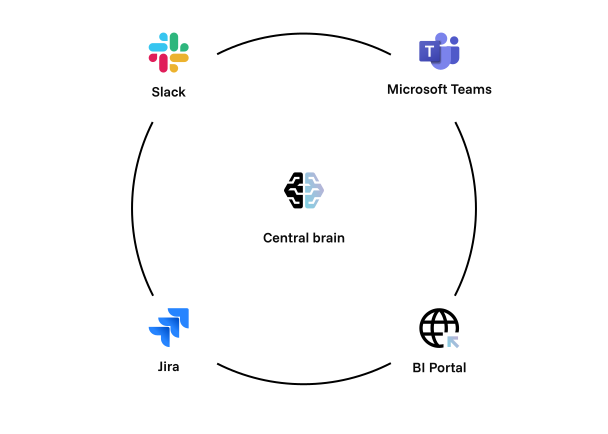
We start by cataloging all warehouse schemas—Postgres, Snowflake, Excel—into one unified data map with owner tags and context. Then we fine-tune a Text-to-SQL engine using 400 real analyst queries so it speaks the business's exact language. Finally, we launch the assistant across Slack, Teams, and the BI portal, with weekly updates to stay sharp.
Ingest schema metadata from Postgres, Snowflake, and Excel exports into an open-source data catalog (OpenMetadata). Each table and column is tagged with owner.
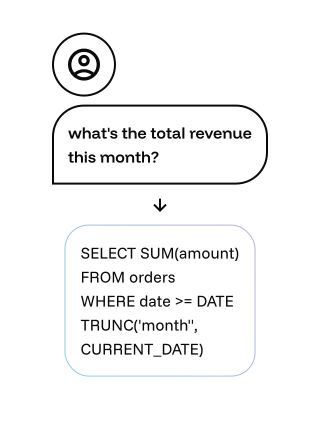
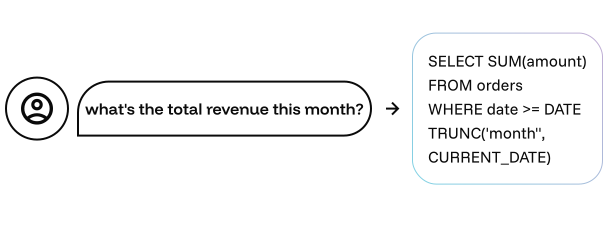
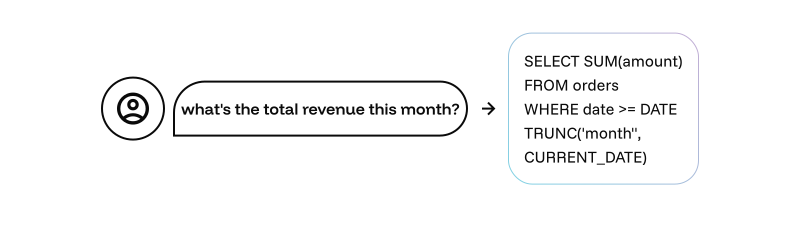
Fine-tune AI model on 400 historic analyst queries paired with their validated SQL. Embed warehouse-specific functions and naming conventions right into the system prompt, so the model can translate “show late deliveries by carrier” into a parameterized query in under a second.
Chunk SOP docs, data-definition PDFs, and KPI glossaries into a vector index (Pinecone). Before every answer, the assistant retrieves the most relevant passages—e.g., “LateDelivery is defined as >30 min past ETA.” The LLM weaves these snippets into the reply, embedding citation links for traceability.


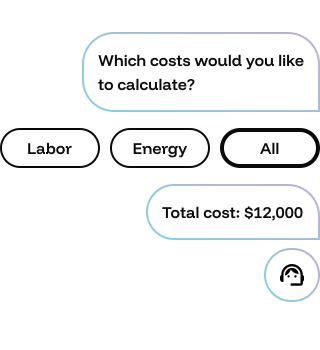
If the user’s intent is ambiguous—“Give me costs by region”—the bot auto-asks follow-ups: “Which cost buckets? Which fiscal period?” It stores resolved patterns as reusable templates (“Regional Cost Drill-Down”) available via slash-command.
Generated SQL runs first in a row-limited sandbox to catch performance outliers and privacy breaches. The query plan and sample rows are shown for manager approval; one-click execution then hits production. Audit logs flow into Splunk for compliance.
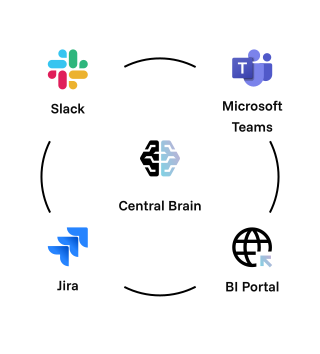
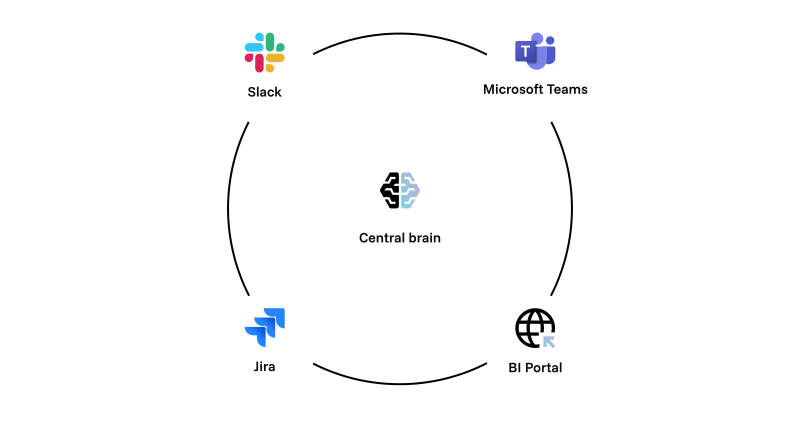
Embed the assistant in Slack, Microsoft Teams, and the BI portal. Weekly fine-tunes incorporate new schemas and manager feedback, while usage analytics flag low-confidence topics for human curation.
Final Solution

FlowMax transforms how decisions are made. Managers now get live answers from the assistant in seconds instead of waiting days for a BI ticket—cutting ticket volume by 40%. The bot delivers 90% answer accuracy on the first try, each backed by actual SQL results and business rule citations. Decision latency drops 70%, enabling faster actions like route changes or cost adjustments. Analysts are freed from repetitive queries and can now focus on modeling and strategy, improving morale and saving over $1.2 million a year in overtime and churn. With plain-English questions and instant, reliable answers, every leader now operates with real-time intelligence at their fingertips.

Discovering how AI can help your business
Based on your specific problem, custom made to address your needs, Experience the power of AI tailored for your business.